Overview
The code listing in this post shows you how to use PHP to create random titles and meta desciptions. So, when someone visits your site, they may get a different title, meta description, or heading text. It all depends on how many values you assign. The more values, the better chance the user or bots will see something different.
Code listing to create random titles
<?php
    // Create descriptions to randomize for meta tag
    $pgDesc[0]      = 'Random meta description 1';
    $pgDesc[1]      = 'Random meta description 2';
    $pgDesc[2]      = 'Random meta description 3';
    $pgDesc[3]      = 'Random meta description 4';
    $pgDesc[4]      = 'Random meta description 5';
    $pgDesc         = $pgDesc[rand(0,count($pgDesc)-1)];        // No need to update this row

    // Create titles to randomize for title tag
    $pgTitle[0]     = 'Random title 1';
    $pgTitle[1]     = 'Random title 2';
    $pgTitle[2]     = 'Random title 3';
    $pgTitle[3]     = 'Random title 4';
    $pgTitle[4]     = 'Random title 5';
    $pgTitle        = $pgTitle[rand(0,count($pgTitle)-1)];      // No need to update this row

    // Create header titles to randomize for opening H1 tag
    $pgHead[0]      = 'Random header title 1';
    $pgHead[1]      = 'Random header title 2';
    $pgHead[2]      = 'Random header title 3';
    $pgHead[3]      = 'Random header title 4';
    $pgHead[4]      = 'Random header title 5';
    $pgHead         = $pgHead[rand(0,count($pgHead)-1)];        // No need to update this row
?>
<!DOCTYPE html>
<html lang="en">
<head>
    <meta charset="UTF-8" />
    <meta name="viewport" content="width=device-width, initial-scale=1.0" />
    <meta name="description" content="<?php echo $pgDesc; ?>" />

    <title><?php echo $pgTitle; ?></title>
</head>
<body>
    <h1><?php echo $pgHead; ?></h1>
</body>
</html>So, the main PHP starts at the top, from lines 1 to 25. That is where we want initiate the variables to use in the program. Also, in lines 8, 16, and 24, we randomly populate a variable from an array. There is no need to edit these rows.
Additionally, we are able to keep the same name as the arrays for all three variables.
How the code looks on website
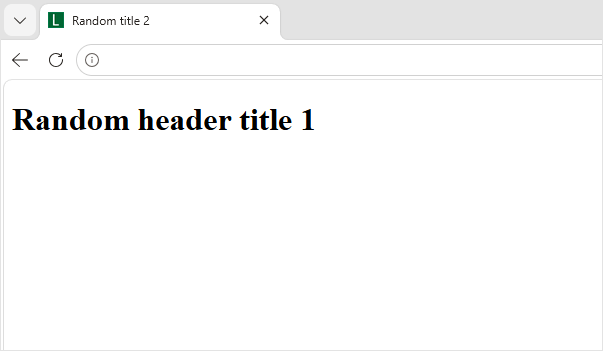
Once render, this is how it looks over the web.
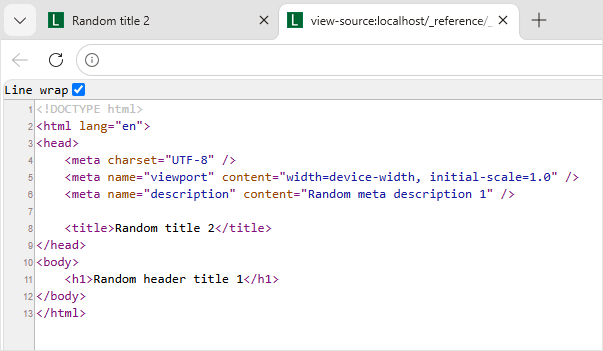
And, here is the view-source code. As you see, no visible PHP.
Selectable rendered code
In addition to not seeing the PHP code, notice how your information is cleanly populated in the tag. As a result, you have a bunch of possibilities to work with.
<!DOCTYPE html>
<html lang="en">
<head>
    <meta charset="UTF-8" />
    <meta name="viewport" content="width=device-width, initial-scale=1.0" />
    <meta name="description" content="Random meta description 1" />

    <title>Random title 2</title>
</head>
<body>
    <h1>Random header title 1</h1>
</body>
</html>Final tip
Overall, you can use this method for different sections of the website. Also, you can customize it based on user selections, etc.