Overview to create custom flywheel
This quick video shows you how to create custom flywheel in PowerPoint. For the purpose of this lesson, we use our Flywheel Creator to generate the object. In addition, we really get creative by using the five-piece sharks type.
Final design
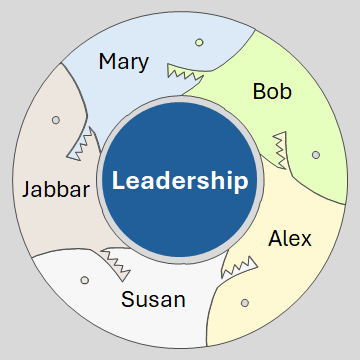
So, this is the final design. As you see, the colors are slightly different, which is okay. Keep in mind, this is an artistic piece, very unique. Therefore, it is not perfect.
Also, we kept it pretty basic. Overall, you can create some fantastic stuff with the Flywheel Creator and take your design higher. Notice that we did all of our coloring directly in PowerPoint.
If you do not have PowerPoint, then use any app that works with SVG files.
Related
- Create Fancy Flywheel in PowerPoint – How to
- Design Fancy Square Faces Flywheel in PowerPoint – How to
- Draw a Rectangle in Artplotty Grid – How to
- FlyShapes Gallery
- Flywheel Design Samples
- Shadow Border in PowerPoint – How to Video
- The Human Face S-Curve in PowerPoint – How to Video
Discover more from Techronology blog
Subscribe to get the latest posts sent to your email.