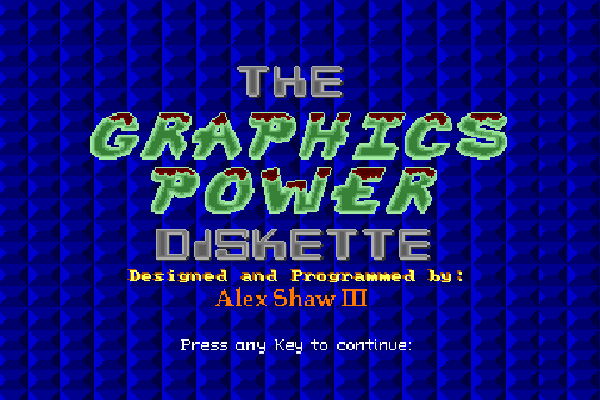
The Graphics Power Diskette (or GPD) is a 1996 demonstration of some creative elements that you can produce in the BASIC language. GPD was developed in Microsoft Visual Basic for DOS (or VB for DOS), with QuickBASIC code in the backend. Yes, we said DOS.
Most of the design in splash screen were done on graph paper, then transferred to screen using the DRAW statement. Luckily, there were duplicates to reuse. With DRAW you could create sprites for games and custom backgrounds.
Main Menu
After you press enter, the program takes you to the main menu.
Introduction
Graphics demonstration
Sample programs in The Graphics Power Diskette
Code listing for The Graphics Power Diskette
Below is the code listing for The Graphics Power Diskette.
'Filename: DEMOBAS.BAS'Programmer: Alex Shaw III'Purpose: Graphics Demonstration Program'Date Created: October 1, 1996'Last Modified: December 2, 1996'$FORM DemoDEFINT A-Z'Subroutines and FunctionsDECLARE SUB AllDemos ()DECLARE SUB ArcDemo ()DECLARE SUB BoxDemo ()DECLARE SUB BoxFillDemo ()DECLARE SUB Center (row, MaxCol, fgkol, bgkol, text$)DECLARE SUB CheckVGA ()DECLARE SUB CircleDemo ()DECLARE SUB CircleFillDemo ()DECLARE SUB Circles ()DECLARE SUB ClearLines (trow, lcol, brow, rcol, kolor)DECLARE SUB ClownFace ()DECLARE SUB DefaultPal ()DECLARE SUB delay (seconds!)DECLARE SUB DemoMenu ()DECLARE SUB DemoRoutine ()DECLARE SUB DrawDemo ()DECLARE SUB Ellipse ()DECLARE SUB ExitMessage ()DECLARE SUB ExitRoutine ()DECLARE SUB FadePal ()DECLARE SUB GCenter (row, MaxCol, fgkol, text$)DECLARE SUB GetPutDemo ()DECLARE SUB GPrtText (row, col, fgkol, text$)DECLARE SUB GraphCenter (row, MaxCol, fgkol, text$)DECLARE SUB GraphMode (mode, wide, rows)DECLARE SUB GraphWindow (title$)DECLARE SUB HatMan ()DECLARE SUB Intro ()DECLARE SUB KeyBuffer ()DECLARE SUB LineBox (trow, lcol, brow, rcol, fgkol, bgkol, mkol, skol, btype)DECLARE SUB LineDemo ()DECLARE SUB LineTiles ()DECLARE SUB Logo ()DECLARE SUB Orbit ()DECLARE SUB PaintTiles ()DECLARE SUB PaletteChart ()DECLARE SUB PalFadeOut ()DECLARE SUB PalRead ()DECLARE SUB PalStore ()DECLARE SUB PixelDemo ()DECLARE SUB PrtText (row, col, fgkol, bgkol, text$)DECLARE SUB PutImage (filename$, asize, mode, xc, yc)DECLARE SUB SampleProgRoutine ()DECLARE SUB ScreenErrorMessage ()DECLARE SUB SpaceShip ()DECLARE SUB SunShine ()DECLARE SUB TextMode (wide, rows, apage, vpage, fgkol, bgkol)DECLARE SUB TilePatterns ()DECLARE SUB Triangle ()'Type DefinitionsTYPE hues red AS INTEGER grn AS INTEGER blu AS INTEGEREND TYPE'ConstantsCONST PI# = 3.14159265358979#CONST FALSE = 0CONST TRUE = NOT FALSE'Global VariablesDIM SHARED TilePat$(1 TO 14) 'for tile patternsDIM SHARED Pal(0 TO 255, 1 TO 3) 'store palette colorsDIM SHARED OriginalPal(0 TO 255, 1 TO 3) 'store original palette colorsTilePatternData: DATA 255,15,0,0,255,15,0,0,255,15,0,0,255,15,0,0 DATA 255,240,0,0,255,240,0,0,255,240,0,0,255,240,0,0 DATA 15,240,0,15,15,240,0,15,15,240,0,15,15,240,0,15 DATA 15,240,0,15,15,240,0,15,15,240,0,15,15,240,0,15 DATA 0,0,0,255,0,0,0,255,0,0,0,255,0,0,0,255 DATA 255,255,255,255,255,255,255,255,255,255,255,255,255,255,255,255 DATA 255,255,0,0,129,129,126,0,129,129,126,0,129,129,126,0 DATA 129,129,126,0,129,129,126,0,129,129,126,0,255,255,0,0 DATA 0,255,252,175,0,252,252,85,0,255,252,175,0,252,252,85 DATA 0,255,252,175,0,252,252,85,0,255,252,175,0,252,252,85 DATA 128,127,0,127,192,63,0,63,224,31,0,31,240,15,0,15 DATA 248,7,0,7,252,3,0,3,254,1,0,1,255,0,0,0 DATA 0,0,255,0,0,159,255,0,0,159,255,0,0,159,255,0 DATA 0,0,255,0,0,249,255,0,0,249,255,0,0,249,255,0 DATA 239,239,255,0,199,199,255,0,131,131,255,0,1,1,255,0 DATA 131,131,255,0,199,199,255,0,239,239,255,0,255,255,255,0 DATA 0,255,223,131,0,255,255,1,0,255,255,1,0,255,255,1 DATA 0,255,255,1,0,255,255,1,0,255,223,131,0,255,255,255 DATA 146,146,146,109,73,73,73,182,36,36,36,219,146,146,146,109 DATA 73,73,73,182,36,36,36,219,146,146,146,109,73,73,73,182 DATA 0,255,255,51,0,255,255,51,0,255,255,0,0,255,255,0 DATA 0,255,255,51,0,255,255,51,0,255,255,0,0,255,255,0 DATA 56,199,0,199,124,131,0,131,254,1,0,1,254,1,0,1 DATA 254,1,0,1,124,131,0,131,56,199,0,199,0,255,0,255 DATA 255,255,255,0,255,255,255,0,0,0,0,255,255,255,255,0 DATA 255,255,255,0,0,0,0,255,255,255,255,0,255,255,255,0 DATA 144,144,144,119,68,68,68,187,68,68,68,187,34,34,34,221 DATA 34,34,34,221,34,34,34,221,34,34,34,221,187,187,187,68TriangleData: DATA 285,185,320,230,280,205,320,245,280,220,320,260,295,220,340,260 DATA 310,220,350,260,315,195,360,240,310,190,360,230,285,185,340,230IntroData: DATA "This program was designed to demonstrate some of the many graphics" DATA "features of the QuickBASIC computer programming language. Although" DATA "most of this program was written in Visual Basic for DOS, the" DATA "graphics routines are compatible with QuickBASIC." DATA DATA "There are a total of four main menu options. Currently, you are in" DATA "the first option which is an introduction to this program. The" DATA "second option is a graphics demonstration and the third option runs" DATA "sample programs. Finally, the four and final main menu choice" DATA "allows you to exit this program." DATA "All together, there are two files which make up this program; a form" DATA "file and a BASIC file. Both files combined have 51 routines. The" DATA "BASIC file alone has 46 routines. Some routines were designed to" DATA "imitate some of Turbo C's functions, especially the text routines." DATA DATA "I used a drawing program to draw some of the images and to create" DATA "portions of the graphical menus. These images were saved in a" DATA "format recognized by BASIC. This way, graphics can be loaded from" DATA "the disk to memory, making it much faster to display graphics." DATA DATA "Well, enjoy this program; it is quite interesting!!!"'AllDemos:' All graphics demonstrations.SUB AllDemos () PixelDemo 'pixel demonstration LineDemo 'line demonstration BoxDemo 'box demonstration BoxFillDemo 'box fill demonstration CircleDemo 'circle demonstration CircleFillDemo 'circle fill demonstration ArcDemo 'arc demonstration GetPutDemo 'get/put demonstration DrawDemo 'draw demonstration LineTiles 'line tiles demonstration PaintTiles 'paint tiles demonstration PaletteChart 'palette chart demonstrationEND SUB'ArcDemo:' Arc demonstration.SUB ArcDemo () GraphWindow "Arc Demonstration" 'graphics window GCenter 30, 80, 15, "Press any key to continue..." 'print prompt KeyBuffer 'clear keyboard buffer DO WHILE INKEY$ = "" 'do until key pressed DO 'aspect ratio loop XStart! = RND * 6 'arc starts XEnd! = RND * 6 'arc ends LOOP UNTIL XEnd! < XStart! 'end is less than start CIRCLE (RND * 639, RND * 479), RND * 300 + 10, RND * 16, -XStart!, -XEnd! LOOP 'end keypress loopEND SUB'BoxDemo:' Box demonstration.SUB BoxDemo () GraphWindow "Box Demonstration" 'graphics window GCenter 30, 80, 15, "Press any key to continue..." 'print prompt KeyBuffer 'clear keyboard buffer DO WHILE INKEY$ = "" 'do until key is pressed LINE -(RND * 639, RND * 479), RND * 16, B 'draw random box LOOP 'end keypress loopEND SUB'BoxFillDemo:' Box fill demonstration.SUB BoxFillDemo () GraphWindow "Box Fill Demonstration" 'graphics window GCenter 30, 80, 15, "Press any key to continue..." 'prompt KeyBuffer 'clear keyboard buffer DO WHILE INKEY$ = "" 'do until key is pressed LINE -(RND * 639, RND * 479), RND * 16, BF 'draw box filled LOOP 'end keypress loopEND SUB'Center:' Centers text at a given row with color.'parameters:' row - row' MaxCol - maximum column' fgkol - foreground color' bgkol - background color' text$ - text to printSUB Center (row, MaxCol, fgkol, bgkol, text$) col = MaxCol / 2 - LEN(text$) / 2 'define column PrtText row, col, fgkol, bgkol, text$ 'print textEND SUB'CheckVGA:' Checks the highest VGA mode used in this program.SUB CheckVGA () ON LOCAL ERROR GOTO BadMode 'print message in case of error SCREEN.HIDE 'hide screen SCREEN 13 'try to switch to VGA modeEXIT SUBBadMode: 'routine to print error message ScreenErrorMessage 'print screen error message END 'end programEND SUB'CircleDemo:' Circle demonstration.SUB CircleDemo () GraphWindow "Circle Demonstration" 'graphics window GCenter 30, 80, 15, "Press any key to continue..." 'prompt KeyBuffer 'clear keyboard buffer DO WHILE INKEY$ = "" 'do until key is pressed CIRCLE (RND * 639, RND * 479), RND * 300 + 10, RND * 16 'draw circle LOOP 'end keypress loopEND SUB'CircleFillDemo:' Circle fill with paint demonstration.SUB CircleFillDemo () GraphWindow "Circle Fill Demonstration" 'graphics window GCenter 30, 80, 15, "Press any key to continue..." 'prompt KeyBuffer 'clear keyboard buffer DO WHILE INKEY$ = "" 'do until key is pressed xc = RND * 639 'initialize X-coordinate yc = RND * 479 'initialize Y-coordinate kolor = RND * 16 'initialize color CIRCLE (xc, yc), RND * 300 + 10, kolor 'draw circle PAINT (xc, yc), RND * 16, kolor 'fill circle with paint LOOP 'end keypress loopEND SUB'Circles:' Circle program.SUB Circles () GraphWindow "Color Circles Program" 'graphics window FOR radius = 10 TO 500 STEP 5 'radius sizes from 10-500 FOR xc = 2 TO 637 STEP 635 'X-coordinate values yc = 0 'initialize Y-coordinate FOR number = 1 TO 2 'for two circles CIRCLE (xc, yc), radius, 15 * RND + 1 'draw circle yc = yc + 445 'increase Y-coordinate NEXT 'next circle NEXT 'next X-coordinate NEXT 'next radius number GCenter 30, 80, 15, "Press any key to continue..." 'print prompt KeyBuffer 'clear keyboard buffer AnyKey$ = INPUT$(1) 'get any keyEND SUB'ClearLines:' Clears a certain amount of lines in text mode.'parameters:' trow - top row' lcol - left column' brow - bottom row' rcol - right column' kolor - colorSUB ClearLines (trow, lcol, brow, rcol, kolor) line$ = STRING$(rcol - lcol - 1, 219) 'define clearing line FOR row = trow TO brow 'from top to bottom PrtText row, lcol, kolor, 0, line$ 'print line NEXT 'next lineEND SUB'ClownFace:' Displays a clown face.SUB ClownFace () GraphMode 12, 80, 30 'set graphics mode GraphCenter 10, 80, 15, "Press any key to view clown face:" GraphCenter 11, 80, 15, "Press any key when ready to return to menu." KeyBuffer 'clear keyboard buffer AnyKey$ = INPUT$(1) 'get any key PutImage "CLOWN16.SCR", 32500, 7, 0, 0 'place image to screen KeyBuffer 'clear keyboard buffer AnyKey$ = INPUT$(1) 'get any keyEND SUB'DefaultPal:' Sets the default palette for this program for screen mode 13.SUB DefaultPal () DIM VPal(255) AS hues 'allocate storage space SCREEN 13 'change mode DEF SEG = VARSEG(VPal(0)) 'point to array's segment address BLOAD "VGA13.PAL", 0 'load palette into array DEF SEG 'point to BASIC's segment address OUT &H3C8, 0 'inform VGA FOR atrib = 0 TO 255 'entire palette OUT &H3C9, VPal(atrib).red 'send red component OUT &H3C9, VPal(atrib).grn 'send green component OUT &H3C9, VPal(atrib).blu 'send blue component NEXT 'next attributeEND SUB'Delay:' Pauses execuation for a number of seconds or less.'parameters:' seconds - seconds or less to pauseSUB delay (seconds!) StartTime! = TIMER 'initialize start time DO 'start loop LOOP UNTIL (TIMER - StartTime!) >= seconds! 'end loop if trueEND SUB'DemoMenu:' Creates menu for graphics demonstration.SUB DemoMenu () DefaultPal 'load palette for images PutImage "DEMOMEN1.IMG", 31200, 12, 56, 40 'place first menu portion PutImage "DEMOMEN2.IMG", 31200, 12, 317, 40 'place second menu portion PutImage "DEMOMEN3.IMG", 10000, 12, 56, 281 'place third menu portion PutImage "DEMOPRPT.IMG", 12500, 12, 124, 402 'place promptEND SUB'DemoRoutine:' Routine for graphics demonstration.SUB DemoRoutine () ValStr$ = "ABCDEFGHIJKLMabcdefghijklm" 'valid input string done = FALSE 'loop controlling variable DO WHILE NOT done 'start main loop DO 'start choice loop DemoMenu 'creates demonstration menu KeyBuffer 'clear keyboard buffer a$ = INPUT$(1) 'get choice SELECT CASE ASC(a$) 'check choice CASE 27 'user pressed Esc done = TRUE 'change loop controlling variable CASE 65, 97 'user pressed A or a PixelDemo 'pixel demonstration CASE 66, 98 'user pressed B or b LineDemo 'line demonstration CASE 67, 99 'user pressed C or c BoxDemo 'box demonstration CASE 68, 100 'user pressed D or d BoxFillDemo 'box fill demonstration CASE 69, 101 'user pressed E or e CircleDemo 'circle demonstration CASE 70, 102 'user pressed F or f CircleFillDemo 'circle fill demonstration CASE 71, 103 'user pressed G or g ArcDemo 'arc demonstration CASE 72, 104 'user pressed H or h GetPutDemo 'get/put demonstration CASE 73, 105 'user pressed I or i DrawDemo 'draw demonstration CASE 74, 106 'user pressed J or j LineTiles 'line tiles demonstration CASE 75, 107 'user pressed K or k PaintTiles 'paint tiles demonstration CASE 76, 108 'user pressed L or l PaletteChart 'palette chart demonstration CASE 77, 109 'user pressed M or m AllDemos 'display all demonstrations END SELECT 'end checking LOOP UNTIL ASC(a$) = 27 OR INSTR(a$, ValStr$) <> 0 'ending loop check LOOP 'end main loop TextMode 80, 25, 0, 0, 7, 0 'return to text modeEND SUB'DrawDemo:' Demonstration for the DRAW statement.SUB DrawDemo () GraphWindow "Draw Demonstration" 'graphics window GCenter 30, 80, 15, "Press any key to continue..." 'print prompt box$ = "u3r3d3l3" 'define box string FOR number = 1 TO 255 STEP 5 DRAW "BM320,240;S=" + VARPTR$(number) 'position and set scale FOR Angle = -360 TO 360 STEP 45 'turn angles kolor = RND * 16 'set color DRAW "TA=" + VARPTR$(Angle) + "C=" + VARPTR$(kolor) + box$ 'draw box NEXT 'next angle NEXT 'next scale height KeyBuffer 'clear keyboard buffer AnyKey$ = INPUT$(1) 'get any keyEND SUB'Ellipse:' Draws an ellipse.SUB Ellipse () GraphWindow "Color Ellipses Program" 'graphics window GCenter 30, 80, 15, "Press any key to continue..." 'prompt KeyBuffer 'clear keyboard buffer DO WHILE INKEY$ = "" 'do until key is pressed kolor = 15 * RND + 1 'initialize color FOR ratio! = .7 TO 0 STEP -.05 'for ratios .7 to 0 CIRCLE (320, 223), 300, kolor, , , ratio! 'draw ellipse NEXT 'next ratio value LOOP 'end keypress loopEND SUB'ExitMessage:' Prints the exit message for the program.SUB ExitMessage () SCREEN.HIDE 'hide screen TextMode 80, 25, 0, 0, 7, 0 'clear screen LineBox 7, 8, 14, 71, 14, 1, 1, 3, 2 'create box Center 7, 80, 15, 1, " Exit Message " Center 9, 80, 10, 1, "Thank you for using this demonstration program." Center 10, 80, 10, 1, "Look for my next creation in the near future." Center 12, 80, 10, 1, "Bye!!!" PrtText 13, 1, 7, 0, "" 'for location purpose END 'end programEND SUB'ExitRoutine:' Creates an exit routine for the program.SUB ExitRoutine () LineBox 9, 8, 15, 73, 10, 1, 1, 3, 2 ' create box Center 9, 80, 15, 1, " Exit Prompt " ' title Center 11, 80, 14, 1, "Do you really want to exit this program?" ' prompt 1 Center 13, 80, 14, 1, "Press <Y> for Yes or <N> for No:" ' prompt 2 done = FALSE 'initialize loop controlling variable DO WHILE NOT done 'start loop KeyBuffer 'clear keyboard buffer ExitKey$ = INPUT$(1) 'get key SELECT CASE ASC(ExitKey$) 'check choice CASE 27 'user pressed Esc key done = TRUE 'change variable to exit loop CASE 89, 121 'user pressed Y or y ExitMessage 'print exit message and end program CASE 78, 110 'user pressed N or n done = TRUE 'change variable to exit loop END SELECT 'end choice checking LOOP 'end loop Demo.SHOW 'display Demo formEND SUB'FadePal:' Fades a 256 color palette out.SUB FadePal () PalRead 'read the current palette colors PalStore 'store the current palette colors PalFadeOut 'fades out all 256 colors to blackEND SUB'GCenter:' Centers text at a given row with color in graphics mode.'parameters:' row - row' MaxCol - maximum column' fgkol - foreground color' text$ - text to printSUB GCenter (row, MaxCol, fgkol, text$) col = MaxCol / 2 - LEN(text$) / 2 'define column GPrtText row, col, fgkol, text$ 'print textEND SUB'GetPutDemo:' Gets and puts an object on the screen.SUB GetPutDemo () DIM image(500) 'allocate space GraphWindow "Get/Put Demostration" 'graphics window CIRCLE (320, 240), 15, 4 'draw circle one PAINT (320, 240), 4, 4 'paint circle one CIRCLE (320, 240), 7, 3 'draw circle two PAINT (320, 240), 3, 3 'paint circle two GET (305, 225)-(335, 255), image 'store image CLS 'clear screen GCenter 30, 80, 15, "Press any key to continue..." 'print prompt KeyBuffer 'clear keyboard buffer DO WHILE INKEY$ = "" 'start keypress loop xc = RND * 600 'initialize X-coordinate yc = RND * 400 'initialize Y-coordinate PUT (xc, yc), image, XOR 'place image delay .2 'delay PUT (xc, yc), image, XOR 'remove image LOOP 'end keypress loopEND SUB'GPrtText:' Prints text at a given location with color in graphics mode.'parameters:' row - row' col - column' fgkol - foreground color' text$ - text to be printed to screenSUB GPrtText (row, col, fgkol, text$) LOCATE row, col 'set location COLOR fgkol 'set color PRINT text$; 'print textEND SUB'GraphCenter:' Centers text in graphics mode at a given row with color.'parameters:' row - row' MaxCol - maximum column' fgkol - foreground color' text$ - text to printSUB GraphCenter (row, MaxCol, fgkol, text$) col = MaxCol / 2 - LEN(text$) / 2 'define column LOCATE row, col 'position cursor COLOR fgkol 'set foreground color PRINT text$; 'print textEND SUB'GraphMode:' Switches to a graphics mode.'parameters:' mode - graphics mode' wide - width of screen' rows - number of rowsSUB GraphMode (mode, wide, rows) SCREEN mode 'change screen mode WIDTH wide, rows 'set dimensions VIEW 'clear viewport CLS 'clear screenEND SUB'GraphWindow:' Creates a window in mode 12 (VGA) to view graphics.'parameters:' title$ - title of the graphics windowSUB GraphWindow (title$) GraphMode 12, 80, 30 'switch to graphics mode GraphCenter 1, 80, 15, title$ 'center title LINE (0, 0)-(639, 463), 7, B 'outer border line LINE (0, 14)-(639, 14), 7 'title dividing line VIEW (2, 16)-(637, 461) 'area to view graphicsEND SUB'HatMan:' Animation program.SUB HatMan () REDIM HatMan1(800), HatMan2(800) 'allocate storage space GraphWindow "Hat-Man Animation Program" 'display graphics window PutImage "HATMAN1.IMG", 800, 12, 302, 215 'place first hat-man GET (302, 215)-(339, 258), HatMan1 'store first hat-man CLS 'clear viewport PutImage "HATMAN2.IMG", 800, 12, 302, 215 'place second hat-man GET (302, 215)-(339, 258), HatMan2 'store first hat-man CLS 'clear viewport GCenter 30, 80, 15, "Press any key to continue..." 'print prompt KeyBuffer 'clear keyboard buffer xc = 586 'initialize X-coordinate DO WHILE INKEY$ = "" 'do until key is pressed PUT (xc, 215), HatMan2, XOR 'place second hat-man delay .3 'pause PUT (xc, 215), HatMan2, XOR 'remove second hat-man PUT (xc - 38, 215), HatMan1, XOR 'place first hat-man delay .3 'pause PUT (xc - 38, 215), HatMan1, XOR 'remove first hat-man xc = xc - 76 'decrease X-coordinate IF xc <= 16 THEN xc = 586 'check X-coordinate LOOP 'end keypress loopEND SUB'Intro:' Prints introduction words.SUB Intro () TextMode 80, 25, 0, 0, 7, 1 'switch to text mode PrtText 5, 6, 15, 1, "Introduction" 'print title PrtText 6, 6, 7, 1, STRING$(69, 205) 'dividing line Center 24, 80, 15, 1, "Press any key to continue..." 'print prompt row = 8 'initialize start row RESTORE IntroData 'set data pointer FOR number = 1 TO 21 'print nine lines READ text$ 'read text data PrtText row, 6, 15, 1, text$ 'print text row = row + 1 IF number = 10 THEN 'check number row = 8 'define starting row KeyBuffer 'clear keyboard buffer AnyKey$ = INPUT$(1) 'get a key ClearLines 8, 6, 17, 77, 1 'clear lines END IF 'end checking NEXT 'next line KeyBuffer 'clear keyboard buffer AnyKey$ = INPUT$(1) 'get a keyEND SUB'KeyBuffer:' Clears the keyboard buffer of any keystrokes.SUB KeyBuffer () DEF SEG = 0 'point to low memory address POKE 1050, PEEK(1052) 'clear buffer DEF SEG 'return to default segment addressEND SUB'LineBox:' Creates a box using ASCII line-drawing characters.'parameters:' trow - top row' lcol - left column' brow - bottom row' rcol - right column' fgkol - foreground color' bgkol - background color' mkol - middle fill color' skol - shadow color' btype - box type' first type - single across; single down' second type - double across; double down' third type - single across; double down' fourth type - double across; single downSUB LineBox (trow, lcol, brow, rcol, fgkol, bgkol, mkol, skol, btype) SELECT CASE btype 'define box characters CASE 1 'single across; single down ulc = 218 ' upper-left-corner urc = 191 ' upper-right-corner blc = 192 ' bottom-left-corner brc = 217 ' bottom-right-corner ver = 179 ' vertical character hor = 196 ' horizontal character CASE 2 'double across; double down ulc = 201 urc = 187 blc = 200 brc = 188 ver = 186 hor = 205 CASE 3 'single across; double down ulc = 214 urc = 183 blc = 211 brc = 189 ver = 186 hor = 196 CASE 4 'double across; single down ulc = 213 urc = 184 blc = 211 brc = 190 ver = 179 hor = 205 END SELECT TopRow$ = CHR$(ulc) + STRING$(rcol - lcol - 1, hor) + CHR$(urc) 'top row BotRow$ = CHR$(blc) + STRING$(rcol - lcol - 1, hor) + CHR$(brc) 'bottom row PrtText trow, lcol, fgkol, bgkol, TopRow$ 'top row FOR row = trow + 1 TO brow - 1 'top to bottom PrtText row, lcol, fgkol, bgkol, CHR$(ver) 'vertical character PrtText row, lcol + 1, mkol, 0, STRING$(rcol - lcol - 1, 219) 'mid-fill PrtText row, rcol, fgkol, bgkol, CHR$(ver) 'vertical character PrtText row, rcol + 1, skol, 0, CHR$(219) 'shadow character NEXT 'next line PrtText brow, lcol, fgkol, bgkol, BotRow$ 'bottom row PrtText brow, rcol + 1, skol, 0, CHR$(219) 'shadow character PrtText brow + 1, lcol + 1, skol, 0, STRING$(rcol - lcol + 1, 219) 'shadowEND SUB'LineDemo:' Line demonstration.SUB LineDemo () GraphWindow "Line Demonstration" 'graphics window GCenter 30, 80, 15, "Press any key to continue..." 'print prompt KeyBuffer 'clear keyboard buffer DO WHILE INKEY$ = "" 'do until key is pressed LINE -(RND * 639, RND * 479), RND * 16 'draw line LOOPEND SUB'LineTiles:' Creates line tile patterns.SUB LineTiles () DIM LTile(1 TO 12) 'allocate storage space LTile(1) = &HFFFF 'line tile 1 LTile(2) = &HEEEE 'line tile 2 LTile(3) = &HDDDD 'line tile 3 LTile(4) = &H1111 'line tile 4 LTile(5) = &HFFCC 'line tile 5 LTile(6) = &HE724 'line tile 6 LTile(7) = &HF0F0 'line tile 7 LTile(8) = &H6A6A 'line tile 8 LTile(9) = &HABCD 'line tile 9 LTile(10) = &H45AC 'line tile 10 LTile(11) = &HBFBF 'line tile 11 LTile(12) = &H4545 'line tile 12 GraphWindow "User-Defined Line Tile Patterns" 'graphics window row = 4 'initialize row yc = 40 'initialize Y-coordinate FOR number = 1 TO 12 'twelve line tiles LINE (50, yc)-(550, yc), 2, , LTile(number) 'draw line with tile GPrtText row, 70, 15, STR$(number) 'print tile number row = row + 2 'increase row yc = yc + 32 'increase Y-coordinate NEXT 'next tile number GCenter 30, 80, 15, "Press any key to continue..." 'print prompt KeyBuffer 'clear keyboard buffer AnyKey$ = INPUT$(1) 'get a keyEND SUB'Logo:' Create graphical logo.SUB Logo () SCREEN.HIDE 'hide screen DefaultPal 'define palette for mode 13 PutImage "LOGO.SCR", 32500, 13, 0, 0 'load and place image KeyBuffer 'clear keyborad buffer AnyKey$ = INPUT$(1) 'get any keystroke TextMode 80, 25, 0, 0, 7, 0 'switch to text mode SCREEN.SHOW 'hide screen to show formEND SUB'Orbit:' Rotates a ball in a circle.SUB Orbit () DIM planet(500) 'allocate storage space GraphWindow "Orbit Program" 'display grahics window CIRCLE (320, 240), 10, 1 'draw circle to move PAINT (320, 240), 3, 1 'paint that circle GET (309, 229)-(331, 251), planet 'store image FOR number = 1 TO 3000 'place 3000 pixels PSET (RND * 639, RND * 479), 7 'put pixel NEXT 'next number CIRCLE (320, 240), 161, 2, , , .13 'draw ring CIRCLE (320, 240), 12, 14 'draw yellow circle PAINT (320, 240), 14, 14 'paint yellow circle GCenter 30, 80, 15, "Press any key to continue..." 'print prompt KeyBuffer 'clear keyboard buffer x# = -PI 'initialize turn angle DO WHILE INKEY$ = "" 'do until key is pressed r# = 160 * COS(x#) 'initialize radius y# = SIN(x#) 'initialize Y-coordinate yo# = y# / (PI# / 60) 'Y-coordinate offset PUT (317 + r#, 228 + yo#), planet, XOR 'place planet to screen FOR pause = 1 TO 1300 'pause NEXT 'next pause number PUT (317 + r#, 228 + yo#), planet, XOR 'remover image x# = x# + .01 'increase PI angle IF x# >= PI THEN x# = -PI 'check PI angle LOOP 'end keypress loopEND SUB'PaintTiles:' Displays tile patterns in VGA mode.SUB PaintTiles () GraphWindow "User-Defined Paint Tile Patterns" 'create graphics window row = 9 'initialize row number = 1 'initialize tile number FOR yc = 24 TO 366 STEP 135 'Y positions col = 10 'initialize column number FOR xc = 30 TO 580 STEP 150 'X positions LINE (xc, yc)-(xc + 100, yc + 85), 7, B 'draw box PAINT (xc + 5, yc + 5), TilePat$(number), 7 'paint box GPrtText row, col, 15, STR$(number) 'print tile number col = col + 19 'increase column number number = number + 1 'increase tile number NEXT 'next X position row = row + 9 'increase row NEXT 'next Y position GCenter 30, 80, 15, "Press any key to continue..." 'print prompt KeyBuffer 'clear keyboard buffer AnyKey$ = INPUT$(1) 'get any keyEND SUB'PaletteChart:' Creates a chart of palette colors.SUB PaletteChart () GraphMode 13, 40, 25 'graphics mode GraphCenter 2, 40, 7, "PALETTE CHART" 'print title FOR yc = 54 TO 144 STEP 6 'Y-coordinate values FOR xc = 8 TO 294 STEP 19 'X-coordinate values LINE (xc, yc)-(xc + 17, yc + 4), kolor, BF 'draw line kolor = kolor + 1 'increment kolor NEXT 'next X-coordinate NEXT 'next Y-coordinate GraphCenter 24, 40, 15, "Press any key to continue..." 'print prompt KeyBuffer 'clear key buffer AnyKey$ = INPUT$(1) 'get a keyEND SUB'PalFadeOut:' Fade all 256 colors to black.SUB PalFadeOut () FOR numberofshade = 0 TO 63 '64 shades FOR colornum = 0 TO 255 '256 colors OUT &H3C8, colornum 'place color into VGA port FOR attribute = 1 TO 3 '3 attributes OUT &H3C9, Pal(colornum, attribute) 'send color components IF Pal(colornum, attribute) > 0 THEN Pal(colornum, attribute) = Pal(colornum, attribute) - 1 END IF NEXT attribute 'next attribute NEXT colornum 'next color NEXT numberofshadeEND SUB'PalRead:' Read the color values currently stored in the video card.SUB PalRead () FOR colornum = 0 TO 255 'read 256 colors OUT &H3C7, colornum 'color number Pal(colornum, 1) = INP(&H3C9) 'get red value from video card Pal(colornum, 2) = INP(&H3C9) 'get green value from video card Pal(colornum, 3) = INP(&H3C9) 'get blue value from video card NEXT colornum 'next colorEND SUB'PalStore:' Stores the current palette.SUB PalStore () 'Because we'll be changing the values in the video card, we'll want to 'store those present in the array, OriginalPal(). This way, after making 'whatever changes in the colors, we can always fade back to the older 'palette we saved here. FOR colornum = 0 TO 255 '256 color palette OUT &H3C7, colornum 'color number OriginalPal(colornum, 1) = INP(&H3C9) 'get red value from video card OriginalPal(colornum, 2) = INP(&H3C9) 'get green value from video card OriginalPal(colornum, 3) = INP(&H3C9) 'get blue value from video card NEXT colornum 'next colorEND SUB'PixelDemo:' Pixel demonstration.SUB PixelDemo () GraphWindow "Pixel Demonstration" 'graphics window GCenter 30, 80, 15, "Press any key to continue..." 'print prompt KeyBuffer 'clear keyboard buffer DO WHILE INKEY$ = "" 'do until key is pressed PSET (RND * 639, RND * 479), RND * 16 'place pixel PRESET (RND * 639, RND * 479) 'place or remove pixel LOOPEND SUB'PrtText:' Prints text at a given location with color.'parameters:' row - row' col - column' fgkol - foreground color' bgkol - background color' text$ - text to be printed to screenSUB PrtText (row, col, fgkol, bgkol, text$) LOCATE row, col 'set location COLOR fgkol, bgkol 'set color PRINT text$; 'print textEND SUB'PutImage:' Loads and places an image on the screen.'parameters:' filename$ - filename' asize - array size' mode - screen mode' xc - x-coordinate' yc - y-coordinateSUB PutImage (filename$, asize, mode, xc, yc) SCREEN mode 'set proper screen mode REDIM image(asize) 'allocate storage for image DEF SEG = VARSEG(image(0)) 'point to image's segment address BLOAD filename$, VARPTR(image(0)) 'load image into array DEF SEG 'point to BASIC's segment address PUT (xc, yc), image, PSET 'place image onto screenEND SUB'SampleProgRoutine:' Creates routine for sample programs' menu.SUB SampleProgRoutine () done = FALSE 'loop controlling variable DO WHILE NOT done 'start main loop DO 'start choice loop DefaultPal 'set default image palette PutImage "PROGMENU.SCR", 32500, 13, 0, 0 ' display menu screen KeyBuffer 'clear keyboard buffer a$ = INPUT$(1) 'get choice SELECT CASE ASC(a$) 'check choice CASE 27 'user pressed <Esc> done = TRUE 'change controlling variable CASE 49 'user pressed 1 SunShine 'sunshine program CASE 50 'user pressed 2 Ellipse 'color ellipses program CASE 51 'user pressed 3 Circles 'color circles program CASE 52 'user pressed 4 Orbit 'rotates a ball CASE 53 'user pressed 5 HatMan 'hat-man animation program CASE 54 'user pressed 6 Triangle 'triangle lost in space program CASE 55 'user pressed 7 SpaceShip 'space ship program CASE 56 'user pressed 8 ClownFace 'clown face program END SELECT 'end checking LOOP UNTIL ASC(a$) = 27 OR (ASC(a$) > 0 AND ASC(a$) < 9) ' check choice LOOP 'end main loop TextMode 80, 25, 0, 0, 7, 0 'switch to text modeEND SUB'ScreenErrorMessage:' Prints screen error message.SUB ScreenErrorMessage () TextMode 80, 25, 0, 0, 7, 0 'switch to text mode LineBox 8, 9, 14, 71, 15, 4, 4, 3, 2 'create box Center 8, 80, 15, 4, " Screen Error Message " Center 10, 80, 14, 4, "Your computer does not support VGA graphics." Center 11, 80, 14, 4, "Sorry, but this program depends on it." Center 12, 80, 14, 4, "Bye!!!"END SUB'SpaceShip:' Flys a space ship across the screen.SUB SpaceShip () REDIM image1(750), image2(750) 'allocate storage DefaultPal 'set image palette PutImage "SHIP1.IMG", 750, 13, 0, 0 'place image one GET (0, 0)-(48, 29), image1 'store image one PutImage "SHIP2.IMG", 750, 13, 50, 0 'place image two GET (50, 0)-(98, 29), image2 'store image two CLS 'clear screen GraphCenter 2, 40, 7, "Flying Saucer Program" 'graphics window GraphCenter 24, 40, 15, "Press any key to continue..." 'print prompt KeyBuffer 'clear key buffer xc = 200 'initialize X-coor yc = 100 'initialize Y-coor DO WHILE INKEY$ = "" 'do until keypress ImageNum = RND * 1 'initialize image num IF ImageNum = 0 THEN 'check image number PUT (xc, yc), image1, XOR 'place image one delay .21 'delay PUT (xc, yc), image1, XOR 'remove image one ELSE 'else PUT (xc, yc), image2, XOR 'place image two delay .21 'delay PUT (xc, yc), image2, XOR 'remove image two END IF 'end image check ry = RND * 1 'assign y-direction IF ry = 0 THEN yc = yc - 7 ELSE yc = yc + 7 'y goes up or down xc = xc - 7 'decrement X-coor IF xc <= 1 THEN xc = 260 'check X-coordinate IF yc <= 1 THEN yc = 160 'check Y-coordinate IF yc >= 160 THEN yc = 1 'check Y-coordinate LOOP 'end keypress loopEND SUB'SunShineProg:' Rotates box to create sun shine picture.SUB SunShine () GraphWindow "Sunshine Reflection Program" 'graphics window box$ = "R635D445L635U445" 'box string FOR number = 90 TO 1 STEP -1 'start at 90 degrees DRAW "BM2,16 C14 TA=" + VARPTR$(Angle) + box$ 'draw box at angle Angle = Angle + 1 'increase angle number NEXT 'next box number GCenter 30, 80, 15, "Press any key to continue..." 'print prompt KeyBuffer 'clear keyboard buffer AnyKey$ = INPUT$(1) 'get any keyEND SUB'TextMode:' Switches to text mode.'parameters:' wide - width of screen' rows - number of rows' apage - active page' vpage - visual page' bgkol - background color' fgkol - foreground colorSUB TextMode (wide, rows, apage, vpage, fgkol, bgkol) SCREEN 0, 1, apage, vpage 'change screen mode WIDTH wide, rows 'set screen dimensions COLOR fgkol, bgkol 'set color CLS 'clear screenEND SUB'TilePatterns:' Define tile patterns.SUB TilePatterns () DIM row$(1 TO 8) 'temporary row holder RESTORE TilePatternData 'set pointer FOR TileNumber = 1 TO 14 '14 tile patterns temp$ = "" 'set temp variable to null FOR number = 1 TO 8 'eight rows create one tile READ tn1, tn2, tn3, tn4 'read tile number row$(number) = CHR$(tn1) + CHR$(tn2) + CHR$(tn3) + CHR$(tn4) temp$ = temp$ + row$(number) 'increment temporary holder NEXT 'next number TilePat$(TileNumber) = temp$ 'define tile pattern NEXT 'next tile numberEND SUB'Triangle:' Rotates a triangle through space.SUB Triangle () RANDOMIZE TIMER 'randomize generator REDIM image(4500) 'allocate space GraphWindow "Triangle Lost In Space Program" 'display graphics window Tri$ = "BM320,240C14L30M+15,-35NM+15,+35BD5P14,14" 'triangle string RESTORE TriangleData 'set data pointer number = 0 'initialize image number FOR Angle = 0 TO 315 STEP 45 'turn angles READ XC1, YC1, XC2, YC2 'read coordinates DRAW "TA=" + VARPTR$(Angle) + Tri$ 'draw triangle at angle GET (XC1, YC1)-(XC2, YC2), image(number) 'store triangle CLS 'clear viewport number = number + 500 'increase image number NEXT 'next angle FOR number = 1 TO 3000 '3000 pixels to place PSET (RND * 639, RND * 479), 7 'place random pixel NEXT 'next number GCenter 30, 80, 15, "Press any key to continue..." 'print prompt KeyBuffer 'clear keyboard buffer xc = 580 'initialize X-coordinate yc = 215 'initialize Y-coordinate ImageNum = 0 'initialize image number DO WHILE INKEY$ = "" 'do until key is pressed PUT (xc, yc), image(ImageNum), XOR 'place image delay .21 'pause PUT (xc, yc), image(ImageNum), XOR 'remove image rx = RND * 1 'initialize X-direction ry = RND * 1 'initialize Y-direction IF rx = 0 THEN xc = xc - 15 ELSE xc = xc + 15 'check X-direction IF ry = 0 THEN yc = yc - 15 ELSE yc = yc + 15 'check Y-direction ImageNum = ImageNum + 500 'increase image number IF ImageNum >= 4000 THEN ImageNum = 0 'check image number IF xc <= 5 THEN xc = 580 'check X-coordinate IF yc <= 5 THEN yc = 395 'check Y-coordinate IF xc >= 580 THEN xc = 5 'check X-coordinate IF yc >= 395 THEN yc = 5 'check Y-coordinate LOOP 'end keypress loopEND SUB